01
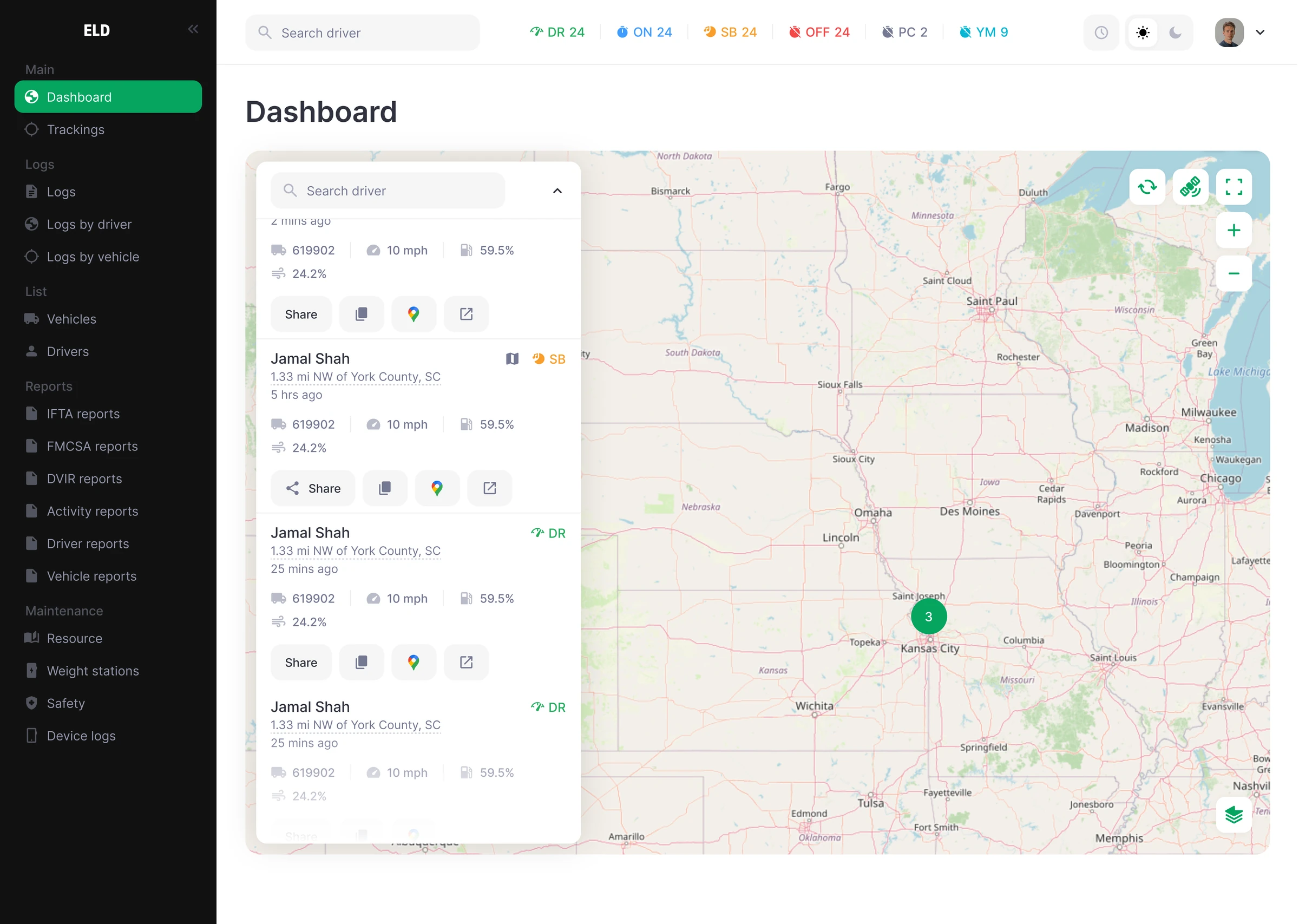
Fleet Management Portal
A clear operating view for vehicles, drivers, HOS, reports, tracking, and diagnostics.
Zen ELD connects drivers, vehicles, and the back office in one clear system to help teams maintain organized logs, prepare for inspections, and see the road ahead.
Purpose-built experiences for drivers, fleet managers, and the cab—connected by one consistent fleet record.
A clear operating view for vehicles, drivers, HOS, reports, tracking, and diagnostics.
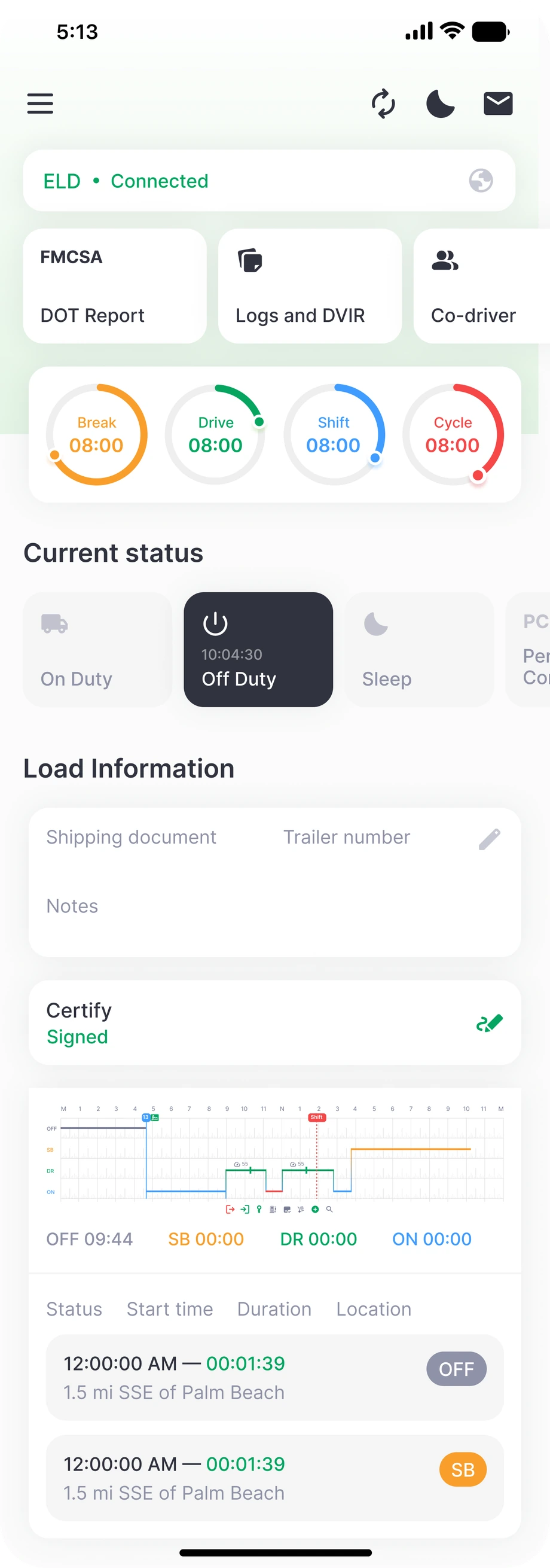
HOS timers, logs, DVIR, co-driver access, certification, and DOT reports on iOS and Android.
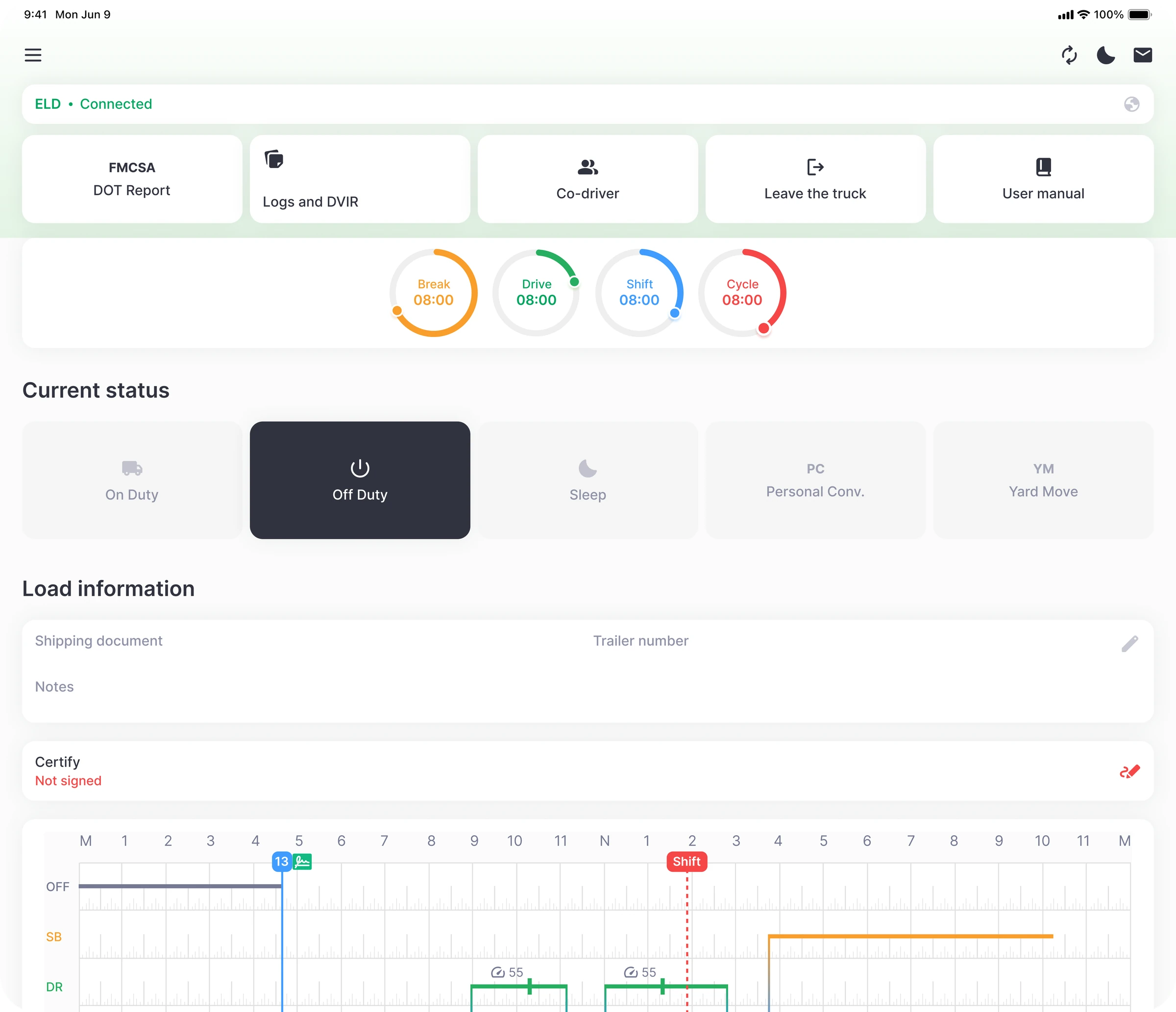
A spacious in-cab experience designed around current status and available driving time.
A vehicle gateway designed to connect driving activity with shared fleet records.
Practical tools that make the work clearer for drivers and more visible for fleet teams. GPS, IFTA, DVIR, and vehicle diagnostics are operational platform features, separate from ELD registration.
Automatic driving-time capture, clear availability timers, and organized log-review tools for drivers and the back office.
Explore feature →See vehicle locations, duty status, and operational context together on a live fleet map.
Explore feature →Digitize DVIR workflows and organize mileage data for simpler IFTA reporting.
Explore feature →Bring connected vehicle information into the same view as drivers, logs, and fleet activity.
Explore feature →Give drivers a direct path to review and display requested records, with transfer support subject to ELD registration and listing.
Explore feature →Connect vehicles, drivers, logs, reports, and live status in one scalable portal.
Explore feature →Zen ELD puts the information drivers need most—current status, available time, logs, DVIR, and DOT reports—within a few clear taps.
Zen ELD is designed to connect daily HOS visibility with roadside review and transfer workflows. Regulated ELD use remains subject to registration and listing of the applicable model and software version.
Explore inspection supportDrivers check logs and current duty information before presenting records.
Dedicated DOT report access keeps inspection information easy to find.
Designed to support the applicable FMCSA transfer workflow after registration and listing.
A consistent workflow helps drivers understand requested next steps.
A connected path from the vehicle to the driver experience and the back office.
Install the Zen ELD vehicle gateway at the diagnostic port.
Connect the driver’s iOS, Android, or tablet experience.
Driving activity and HOS information move into the shared record.
Review vehicles, drivers, logs, tracking, and reports from the web portal.
Need a fleet-specific answer? Talk directly with the Zen ELD team.
contact@zeneld.comZen ELD brings together the driver mobile app, connected ELD device, fleet management web portal, tablet app, HOS, DVIR, IFTA, GPS tracking, vehicle diagnostics, and roadside inspection support.
Yes. The driver mobile experience is designed for both iOS and Android, with a separate tablet interface for an in-cab workflow.
Zen ELD is designed to help drivers review and present requested records and to support applicable FMCSA transfer workflows after the relevant model and software version are registered and listed.
Yes. The platform centralizes drivers, vehicles, logs, tracking, reports, and device records so teams can add trucks without adding disconnected systems.
Request a demo and tell us about your fleet. The Zen ELD team will walk through the product, hardware fit, and a rollout approach for your operation.
See how Zen ELD fits your drivers, vehicles, and compliance workflow.